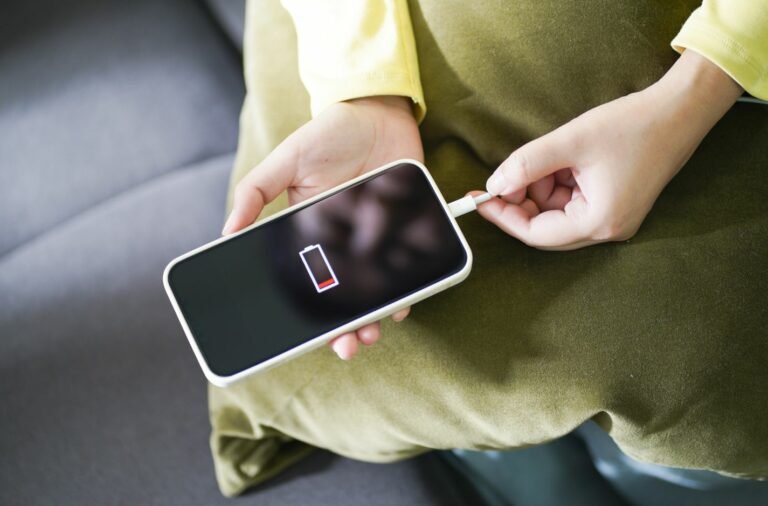
From the smartphone in your hand to the electric car in your garage, rechargeable batteries are the silent workhorses powering our modern lives. They offer incredible convenience, but like any sophisticated technology, their performance and lifespan aren't eternal. However, by embracing smart habits, you can significantly extend their utility and ensure you're truly Maximizing Rechargeable Battery Life & Care. This isn't just about saving a few bucks on replacements; it's about optimizing performance, reducing electronic waste, and getting the most out of every device you own.
Understanding the subtle science behind battery degradation allows us to make informed choices. It's about moving beyond old myths and adopting practices grounded in how these power cells actually work. Ready to unlock the full potential of your portable power? Let's dive in.
At a Glance: Your Quick Guide to Battery Longevity
- Charge Partially: Avoid letting batteries drop below 20% and aim to charge them only to 80%, not 100%.
- Keep it Cool: Extreme heat is battery killer #1. Operate and charge within 60-95ºF (15-35ºC).
- Store Smart: For long breaks, charge Li-ion batteries to 40-60% and store them in a cool, dry place.
- Use Proper Chargers: Always stick to manufacturer-approved or certified third-party chargers.
- Handle with Care: Physical damage can be catastrophic. Keep terminals clean.
- Recycle Responsibly: When a battery eventually retires, ensure it's recycled through proper channels.
The Inner Workings: A Glimpse into Battery Chemistry
Before we talk about care, a quick understanding of what you're caring for helps. Most of our high-tech gadgets rely on Lithium-ion (Li-ion) batteries, a marvel of modern chemistry. You'll find them everywhere, from your laptop to your home solar setup, thanks to their high energy density, lightweight nature, and lack of a dreaded "memory effect."
At its heart, a battery cell is a miniature chemical reaction chamber. It contains:
- Anode (Negative Electrode): Where lithium ions reside when the battery is fully charged.
- Cathode (Positive Electrode): Where lithium ions reside when the battery is fully discharged.
- Electrolyte: The liquid medium that allows lithium ions to travel between the anode and cathode.
- Separator: A thin, permeable membrane that keeps the anode and cathode from touching, preventing short circuits.
When you charge your device, lithium ions migrate from the cathode through the electrolyte to the anode, storing energy. When you use your device, these ions flow back to the cathode, releasing the stored energy as electricity. It's an elegant dance, but over time, this dance can become less efficient. Degradation occurs as the chemical reactions falter, internal structures change, and unwanted side reactions build up. This is the natural aging process we aim to slow down.
The primary culprits behind accelerated degradation are surprisingly simple: temperature, state of charge (how full or empty it is), current (how fast it charges/discharges), and charging methods. Let's tackle each one.
Pillar 1: Smart Charging Habits for a Longer Life
This is arguably the most impactful area where your daily choices can make a significant difference. Forget the old rules you might have learned from nickel-cadmium batteries; Li-ion plays by its own game.
Avoid the Extremes: Don't Go Too Low or Too High
One of the biggest myths surrounding rechargeable batteries is the idea that you should fully drain them before recharging. While true for older NiCd batteries (to combat the "memory effect"), this is detrimental to Li-ion cells.
- Prevent Deep Discharges: For Li-ion, letting your battery routinely drop below 20% charge puts significant stress on its chemistry. Each deep discharge cycle reduces its overall lifespan. Think of it like a muscle: repeatedly tearing it down to nothing is more damaging than regular, moderate exercise.
- Note for NiMH/NiCd: For these older chemistries, partial discharges are still better than deep ones, though they do benefit from an occasional full discharge to recalibrate, something Li-ion doesn't need.
- Limit Maximum Charge: Just as bad as fully discharging is constantly charging to 100%. Li-ion cells are under more stress when fully packed with charge. This high voltage state accelerates degradation. Most manufacturers and experts recommend aiming for an 80% charge as your sweet spot. Many modern devices, especially laptops and smartphones, now offer settings to cap charging at 80% to preserve battery health. Make use of these!
- Action: Unplug devices once they reach their desired charge level (ideally around 80%). If your device doesn't have an 80% cap, a smart plug can help you automate this.
Embrace the "Snack Charge" Mentality
Rather than waiting for your device to nearly die and then charging it fully, Li-ion batteries prefer frequent, shallow charges.
- Top Up Often: Think of your battery as a small gas tank that's happiest when it's between 20-80%. You wouldn't run your car on fumes or keep its tank overflowing, would you? The same principle applies here. Plugging in for short bursts throughout the day is far better for long-term battery health than a single, long charge session.
The Right Charger Matters (Seriously)
This might seem obvious, but it's a critical point often overlooked. Not all chargers are created equal.
- Stick to OEM or Certified: Always use the charger that came with your device or a reputable, certified third-party charger specifically designed for your battery chemistry and device model. Cheap, uncertified chargers might deliver incorrect voltage or current, leading to inefficient charging, overheating, and accelerated degradation—or even safety hazards.
- Utilize Optimization Features: Modern devices and operating systems often include "Optimized Battery Charging" or similar features. These learn your usage patterns (e.g., when you typically wake up) and will intelligently slow down or pause charging at 80% before bringing it to 100% just before you need it. Enable these features! They're designed precisely to prolong battery life.
Pillar 2: Taming the Temperature Beast
Temperature is the single biggest enemy of rechargeable batteries. Li-ion cells are sensitive to heat, and even moderately high temperatures can significantly shorten their lifespan.
The Golden Temperature Zone
- Optimal Operating & Charging Range: Aim to use and charge your batteries within 60-95ºF (15-35ºC). Many experts narrow this down further to 50-77°F (10-25°C) for ideal longevity. This range minimizes stress on the internal chemistry.
- The Heat Hazard: Every 18ºF (10ºC) increase above the optimal temperature can roughly halve a cell's lifespan. That's a dramatic impact!
- Avoid: Direct sunlight, leaving devices in hot cars, charging in warm environments (e.g., under a pillow, in a closed bag), or using intensive applications that generate a lot of heat while charging. If your device feels hot to the touch, it's probably too hot.
- Cooling Down is Key: If a battery has been fast-charged or heavily used, allow it to cool down before putting it through another demanding cycle. Rapid temperature fluctuations are also detrimental.
The Cold Conundrum
While not as immediately damaging as extreme heat, extreme cold also poses a threat.
- Below Freezing is Bad: Temperatures below 32°F (0°C) can cause permanent capacity loss. The electrolyte becomes sluggish, and internal resistance increases, making charging inefficient and potentially causing lithium plating on the anode, which is irreversible damage.
- Temporary Performance Loss: Cold temperatures also temporarily reduce a battery's performance and available capacity. Your phone might die faster in freezing weather, but it usually recovers once it warms up (unless permanent damage occurred during charging in the cold).
- Avoid: Leaving batteries or devices outside in freezing weather. If a device has been in the cold, let it warm up to room temperature gradually before charging or heavy use.
Pillar 3: Smart Storage for Standby Power
Batteries aren't meant to be forgotten. If you have seasonal equipment (power tools, drones, e-bikes) or spare batteries, proper storage is crucial.
The Ideal Storage Charge
- Li-ion: For long-term storage, charge your Li-ion batteries to 40-60%. This is the most stable state for their chemistry. Never store them at 0% (which can lead to irreversible deep discharge and damage) or 100% (which causes unnecessary stress).
- NiMH: Store NiMH batteries at approximately 50% charge.
- Why this range? At 0%, the battery can fall into an irreversible deep discharge state. At 100%, the high voltage puts chemical stress on the components, even when idle.
The Right Environment
- Cool, Dry, Climate-Controlled: Store batteries indoors in a dry, cool, climate-controlled location. Think of a closet or a pantry, not a hot attic or a damp garage. Protect them from direct sunlight and moisture.
- Periodic Checks: For any battery stored long-term, it's wise to check its charge level every few months. Self-discharge will slowly deplete the battery, even when not in use. If it drops significantly (e.g., below 20-30%), give it a partial recharge back to that 40-60% sweet spot. This is especially important for seasonal equipment; charge them before storage and then every few months during the off-season.
Pillar 4: Everyday Care & Proactive Monitoring
Beyond charging and storage, simple daily habits can contribute to the overall health and safety of your batteries.
Keep Them Clean and Protected
- Clean Terminals: Regularly inspect and gently clean battery terminals with a dry cloth. Dirt, dust, or moisture can lead to corrosion or poor contact, hindering performance.
- Avoid Physical Damage: Rechargeable batteries are delicate. Dropping, puncturing, or subjecting them to impacts or pressure can cause internal damage, leading to leaks, short circuits, or even fire/explosion. Treat them with the same care you would any other sensitive electronic component. If a battery appears swollen, leaking, or damaged in any way, stop using it immediately and dispose of it responsibly.
Rotate and Monitor
- Rotate Batteries (If Applicable): In devices that use multiple removable batteries (like some drones or older camera setups), rotating their positions periodically can help ensure even wear and tear, potentially extending the lifespan of the set.
- Monitor Health: Many modern operating systems (iOS, Android, Windows, macOS) provide built-in battery health indicators. Additionally, third-party apps and utilities can offer more detailed metrics like charge cycles, current capacity, and voltage. Keeping an eye on these can help you identify when a battery is reaching the end of its useful life and needs replacement. This proactive approach helps you plan for replacements and ensures you're always understanding the overall value of rechargeable batteries and their performance over time.
Common Battery Questions & Misconceptions Cleared Up
Let's address some of the persistent myths and common queries about rechargeable batteries.
"Memory Effect": Does It Still Exist?
Answer: For Lithium-ion (Li-ion) batteries, no. The dreaded "memory effect" was a real issue with older Nickel-Cadmium (NiCd) batteries, where incomplete discharges would cause the battery to "remember" the shallower discharge point, reducing its effective capacity. Li-ion batteries do not suffer from this. In fact, partial discharges are beneficial for Li-ion, as discussed.
Is Fast Charging Bad for My Battery?
Answer: Generally, no, not if done correctly by modern devices. High-quality fast chargers and modern batteries are designed with sophisticated Battery Management Systems (BMS) that regulate voltage and current to prevent overheating and overcharging. The primary concern with fast charging is the heat generated, but the BMS actively manages this. While extremely rapid charging could theoretically cause slightly more wear over many cycles compared to slow charging, for most users, the convenience outweighs any marginal difference. Prioritize using certified fast chargers.
Should I Unplug My Device Once It Reaches 100%?
Answer: Ideally, yes, for maximum longevity. While modern devices are smart enough to stop charging once full (they don't "overcharge" in the dangerous sense), keeping a Li-ion battery at 100% charge for extended periods puts it under higher voltage stress. This high state of charge accelerates chemical degradation, even if the device isn't actively consuming power. If you plan to leave your laptop plugged in for weeks, consider using a feature that limits charging to 80% if available.
Is It Okay to Charge My Phone Overnight?
Answer: Yes, mostly. Modern smartphones have intelligent charging systems that cut off the power flow once the battery reaches 100%. Some even pause at 80% and only top off to 100% shortly before your usual wake-up time (e.g., Apple's Optimized Battery Charging). The biggest risk here is the prolonged time at 100% charge, as mentioned above, and potential heat buildup if the phone is under a pillow or blanket. If possible, enable optimized charging features and ensure good ventilation.
When It's Time to Say Goodbye: Responsible Recycling
No matter how well you care for your rechargeable batteries, they eventually reach the end of their useful life. Battery capacity naturally declines over hundreds of charge cycles, and eventually, the performance degradation becomes noticeable.
Signs of a Failing Battery:
- Significantly Shorter Runtime: Your device dies much faster than it used to, even with light use.
- Slow or Inconsistent Charging: Takes much longer to charge, or charge levels fluctuate wildly.
- Device Shut-offs: Your device suddenly powers down, especially when the charge indicator still shows a decent percentage.
- Swelling: A visibly swollen battery is a serious safety hazard and indicates internal gas buildup. Stop using it immediately.
- Overheating: The battery or device gets unusually hot during charging or normal use.
The Importance of Recycling:
Rechargeable batteries, especially Li-ion, contain valuable and sometimes hazardous materials like cobalt, nickel, and lithium. Never dispose of them in regular household trash.
- Environmental Impact: Improper disposal can lead to these materials leaching into the environment, causing pollution.
- Safety Hazard: Damaged or improperly disposed batteries can pose a fire risk in landfills or waste facilities.
- Resource Recovery: Recycling allows for the recovery of valuable materials, reducing the need for new mining and conserving resources.
Look for certified e-waste programs, battery recycling bins at retail stores (like electronics big-box stores), or local municipal hazardous waste collection sites. Organizations like Call2Recycle offer an easy way to find drop-off locations near you.
Your Rechargeable Future: Power in Your Hands
Maximizing rechargeable battery life and care isn't about rigid rules or extreme sacrifices. It's about developing informed, mindful habits that align with the intrinsic chemistry of these power cells. By making small adjustments to how you charge, use, store, and eventually dispose of your batteries, you contribute to:
- Longer Device Lifespan: Your gadgets stay performant for years longer.
- Cost Savings: Fewer replacement batteries mean more money in your pocket.
- Reduced Environmental Impact: Less waste, less demand for raw materials.
- Improved Safety: Well-maintained batteries are safer batteries.
So, go forth and charge smarter. Your devices, your wallet, and the planet will thank you.